
A common concern of churches is how to effectively track church visitors and take every appropriate step to make sure those visitors feel welcome and can find answers to their questions.
IconCMO’s record keeping features and filters and its powerful groups module can give churches many options to track church visitors and reach out to them.
Below is one workflow that could be modified and used to make the most of IconCMO’s features to track large numbers of visitors (say, a dozen or more first-time visitors per Sunday). But by all means, comment and let us know other approaches you’ve found helpful.
Groups vs Status Codes
There are mainly two ways to track segments of your church population, such as visitors:
- by status code
- in the groups module
| Status Code | Groups Module |
| • Use as a filter in most reports • Use as a filter for donation statements • Use as a filter for mass adding to groups in the groups module |
• Use to run any of the group reports • Use to create events and record attendance for the group • Use to send mass emails and texts |
For this post, I’m focusing on the groups module as a means to track visitors because of its communication features, but depending on your needs, you may want to track the progress of visitors through both groups and statuses.
Groups
IconCMO’s groups module is a great system for tracking segments of your church community, like visitors.
In today’s world, individual mobile phone numbers and email addresses have become more important and useful than a landline, family phone number. Setting up a group allows you to use IconCMO’s mass communication features to reliably reach people at their own numbers or email addresses.
Create a Folder and Groups to Track Church Visitors
Create three groups called:
- ‘One Time’ to track first-time visitors that haven’t been contacted
- ‘One Time Contacted’ to track first-time visitors that have been contacted
- ‘Multi Time’ for visitors that have visited more than once
Then put them into the a folder called ‘Visitors’.

Record Your Church Visitors
Let’s say our new visitors are Jim and Marie Dimitrios. I’ll create a household for them, give their individual records email addresses, and I’ll add them to the ‘One Time’ group.
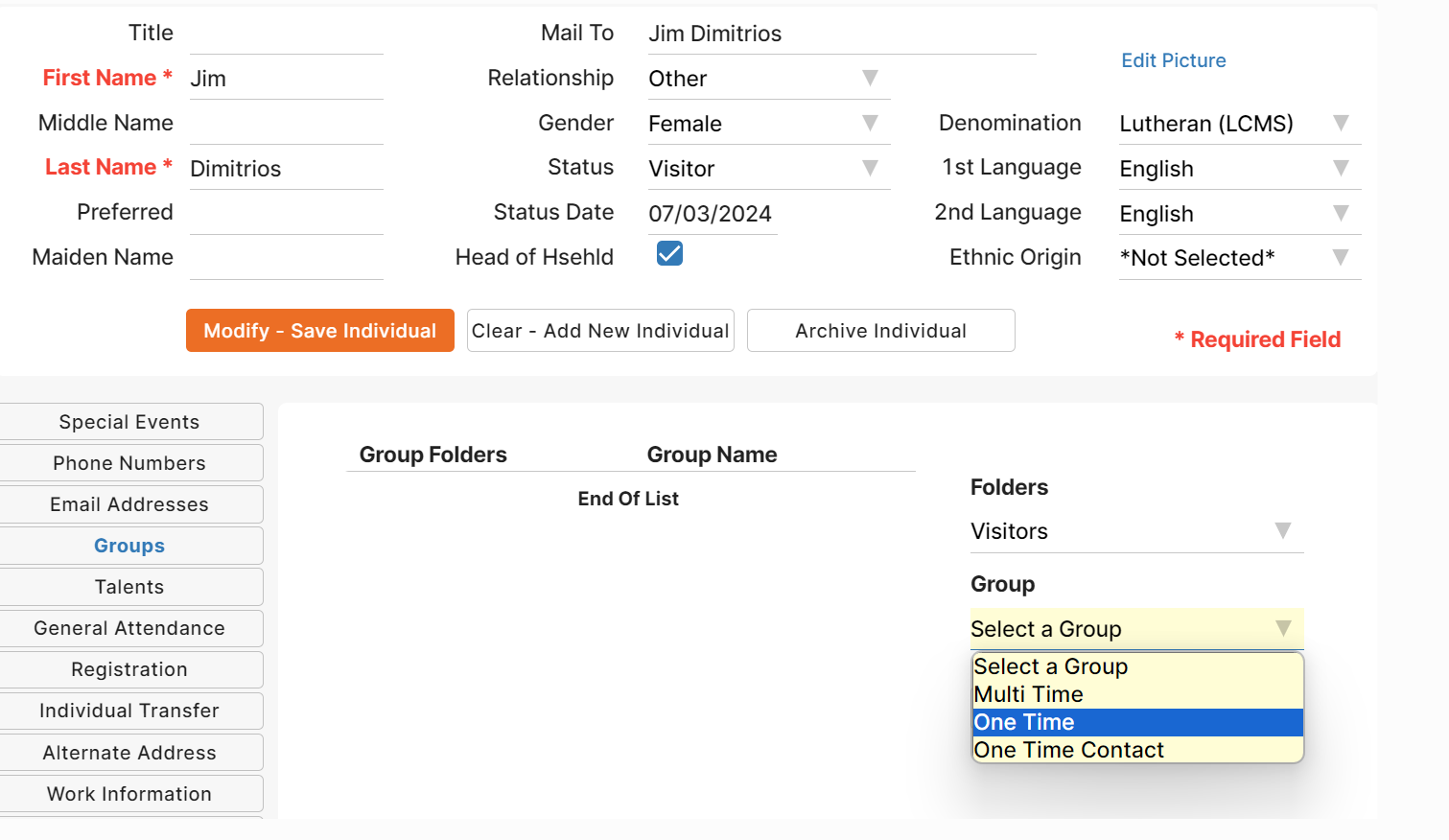
Send Out a Welcome Email to Church Visitors
Click on the email icon for the group as you see below.

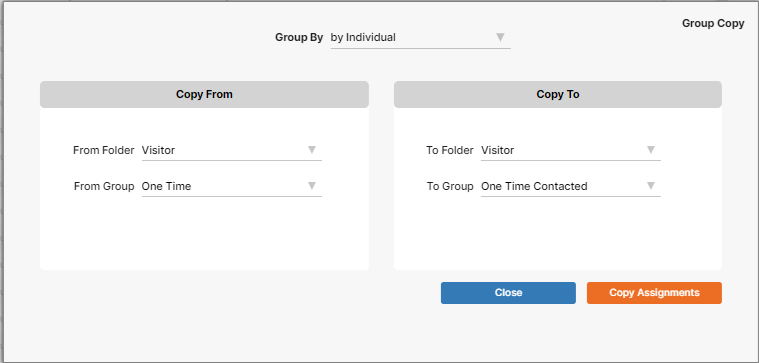
Now we want to copy the ‘One Time’ group into the ‘One Time Contacted’ group. First click on the ‘Copy Group’ button from the main screen.

Next, you will get a screen like the one below. You would fill out the dropdown list with the values as seen below. The records in the ‘One Time’ group will be added to whatever records are already in ‘One Time Contacted’ group.
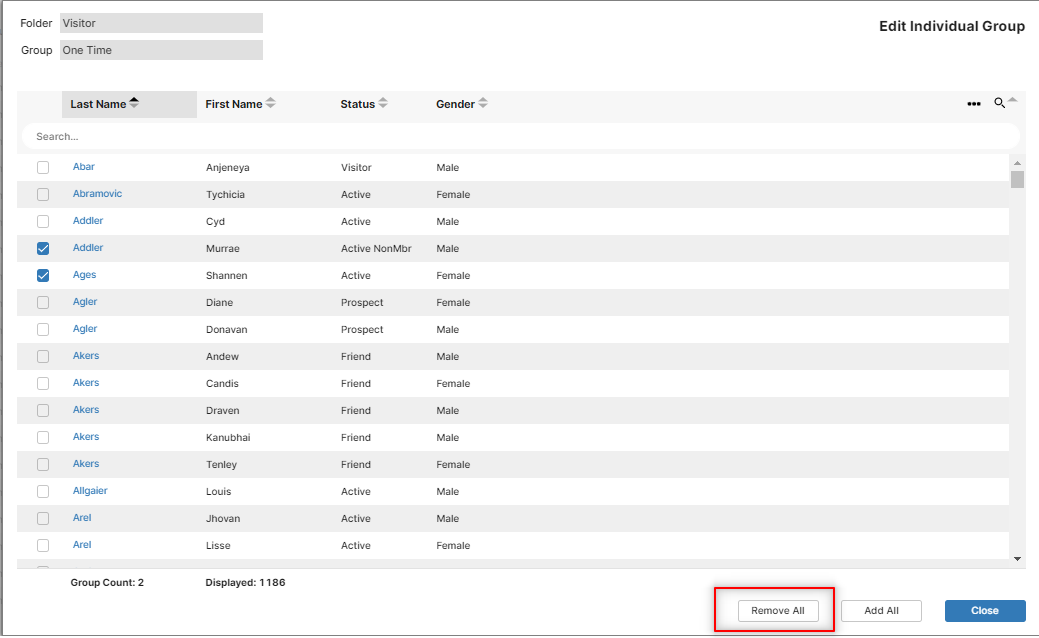
Lastly, you clear out the ‘One Time’ group to use again next time. Removing the individuals is easily completed by clicking the ‘Remove All’ button.
If the visitor returns, you can switch them from the ‘One Time Contacted’ group to the ‘Multi Time’ group.
Thus, with this workflow, we have a group for sending an initial welcome email, a group for following up with one-time visitors until they return, and a group for keeping in touch with the multi-time visitors.
Learn more about tracking church visitors and communicating clearly with them.
Also, learn more about our church management software and its church group and communication features.