As you emerge from your office cave into the sunlight of the warm spring days, don’t forget your office could use a good dose of spring cleaning. From your file cabinet to your PC, cleaning and organizing is easy to do. Spending just a few hours cleaning now will prolong the life of your PC and help you get more work done faster.
That means you can enjoy more time outside enjoying the warm summer days!
1. Paper Clutter
Overflowing file cabinets and stacks of paper on your desk shouldn’t be intimidating. How long should you keep your old bank statements? What about your employee’s old time cards?
Here is a short list of various business and personal records with suggested guidelines* for how long they should be kept. For additional document suggestions, please visit our past blog , “Spring Cleaning: How long should you keep important documents?”
|
Accounts payable ledgers & schedules |
7 years |
|
Accounts receivable ledgers & schedules |
7 years |
|
Bank reconciliations |
7 years |
|
Bank statements |
7 years |
|
Permanently |
|
|
Expense analysis |
7 years |
|
Financial Statements – year end |
Permanently |
|
Insurance records- current |
Permanently |
|
3 years |
|
|
Invoices to customers or from vendors |
7 years |
|
Notes receivable ledgers & schedules |
7 years |
|
OSHA records |
6 years |
|
Payroll records |
7 years |
|
Payroll tax reports |
7 years |
|
Property records including costs, depreciation, blueprints, & plans |
Permanently |
|
Tax exemption documents |
Permanently |
|
Tax returns |
Permanently |
|
Time cards |
2 years |
|
W-2’s |
7 years |
|
Withholding tax statements |
7 years |
It should be noted that record retention schedules may vary from state to state. Please contact your attorney or CPA to get guidelines that are specific to you.
2. Computer Hardware
Dust! It’s everywhere. In your keyboard, on your monitor, under your mouse and in your PC. It can trap heat and shorten the life of your computer.
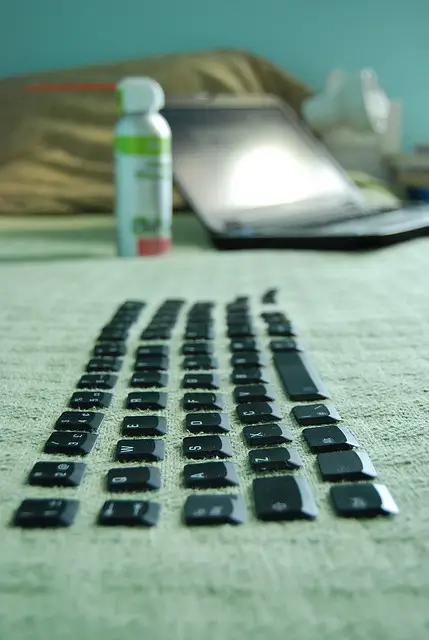
Here are some quick and easy steps to get your hardware clean. All you need is a can of compressed air.
First, turn off your computer or laptop and unplug it. Unplug your keyboard and mouse from the computer, or remove the batteries if they are wireless. Blow out with a few blasts of air, and the dust and potato chip crumbs should come right out. If you aren’t aware of the amount of germs on your mouse and keyboard, you should be! Wipe over with antibacterial wipes, or cotton swabs dipped in isopropyl alcohol for a deep clean.
For your monitor screen, use a damp lint free cloth. Don’t use cleaners that contain ammonia.
Only complete the next cleaning event if you’re confident enough to open up the inside of a PC and put it back together. A few puffs of air inside can remove dust buildup on the case fans, air vents, motherboard and fan. On a laptop, blow compressed air into the intakes along the side.
3. Keep Viruses Out
In addition to compromising your privacy, spyware and viruses bog down your PC’s performance. Make sure your anti-virus and anti-spyware programs are up to date and are set to run scans automatically on a regular basis.
That’s it. Performing some or all of these tips should help keep your office running smoothly for at least another year. Now go enjoy a glass of iced tea in the sun. You deserve it!