
How IconCMO Can Help You Manage Your Groups

With the last day of school right around the corner, churches are starting to plan for Vacation Bible School (VBS). IconCMO can help you manage the attendees and their grade levels so you can focus your planning on what’s important – preparing the curriculum for the children.
Groups can be created for any Households or Members whom you wish to maintain as a list. For example, you can create a household list for your newsletters, or a member group of the men’s choir.
Locate Existing Group
If your organization is already using the group module to keep track of your Sunday school students, or you used the system to keep track of your VBS students last year, you can easily copy members from one group to another.
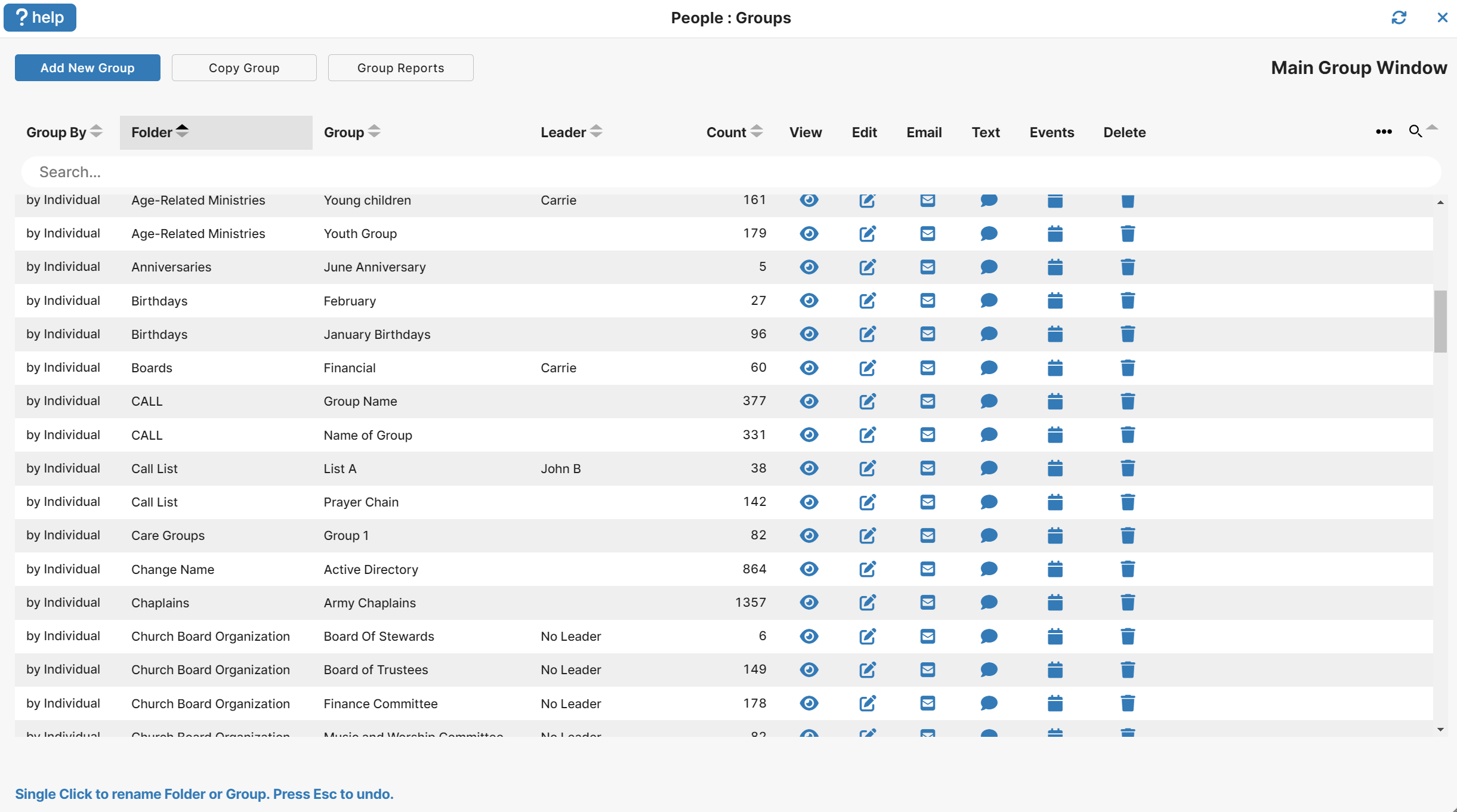
Create a New Group
The information from this group can be transferred over into a new category created for Vacation Bible School and edited to contain only the Grade 1 students signed up to attend. From the main group screen click the ‘Add New Group” button. A new row will appear that you can change the name of the group from New Group to whatever group name you want.
Copy Group Members
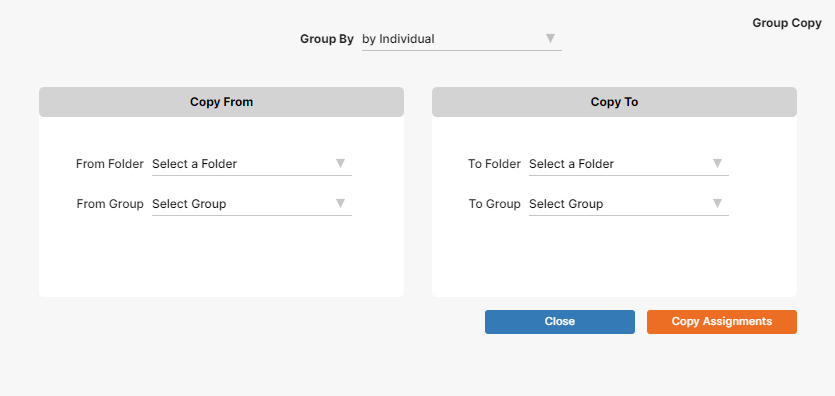
From the main screen you select the group you want to copy from and on the next screen click the ‘Copy Group” button. The following screen is what you should see with the drop down filled in with the group you selected. Change the dropdowns to the way you need to copy the group from and to, then click “copy Assignments” button. You have now copied the Age 5 members from Sunday school to VBS Grade 1 as seen below.
To learn how to record allergies and emergency contact info which may be beneficial for VBS, please visit our prior blog: How to Record Allergies and Emergency Contact Information.