We’re here to help!
Icon Systems offers a range of resources to help you navigate Icon Software and accomplish your daily tasks within the system. Here’s a list of complementary resources included with your subscription to Icon Systems.
- Printable Getting Started Guides & Tutorial Videos
- Help link shortcuts on every screen
- 24/7 access to the Support Forum
- Tutorial videos and webinar replays on YouTube
- This Blog!
- Live training webinars with Q&A
- Our knowledgeable support team

1. Help Guides & Videos for Icon Systems Software
When logged into your Icon Software account—in the lower left-hand corner- you will find a small “?” that will take you to the resource menus. Each menu has a list of resources that will give you guides, videos, links, and information that can assist you in your daily processes

- Videos
- Membership & Groups videos
- Donation videos
- Accounting videos
- Miscellaneous videos
- Getting Started
- Membership, Donations & Fund Accounting setup guides
- Donation, Attendance & Accounting year-end guides
- Payroll setup & processing guides
- Vanco & Shift4 online giving setup guides
- Help
- Link to the Support Forum
- Icon Systems’ support contact information
- What browser version and operating system you’re working in
2. Help links on every screen
When you are working in Icon Software, and you run into a question on a certain process or a certain screen, you can always click on the “? help” button in the upper right-hand corner of the screen. This button brings you directly to a support forum post that gives you more information on the screen. Many times a short video tutorial is included with the documentation.
The “?help” button on our dashboard is a master list of our training links organized by module. It includes links to our e-books and social media pages, where we post tips weekly!
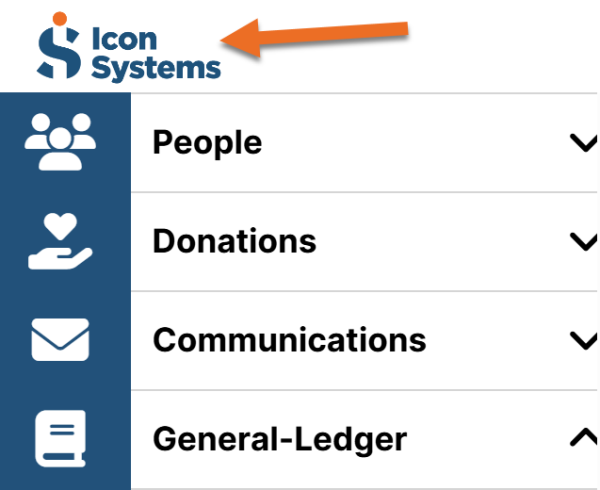
The dashboard should open automatically each time you log in to Icon Software, or you can access it by clicking the Icon Systems logo in the upper-left corner above the menu.
3. Support Forums are a great software resource
The support forum is a handy tool that lets you ask questions, make suggestions, and browse other users’ questions about the system. You can make each post public or private. If public, any user can answer or comment on your post or vote on your suggestion! An Icon Systems support tech will review all posts and comment quickly, usually within one business day. You can access the support forum in several ways.
- The help buttons in each screen as posted above in #2
- Under the “?” in the lower left corner, ‘Contact Us’ tab
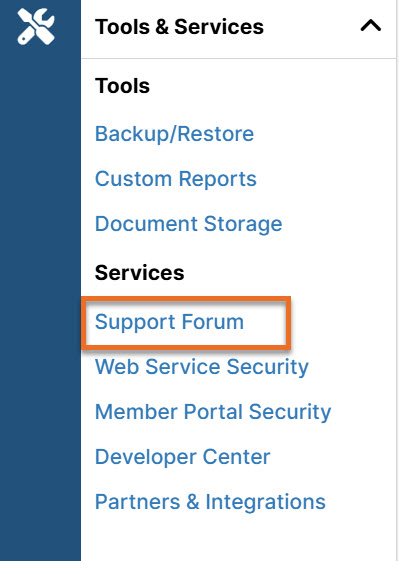
- Under the ‘Tools & Services’ menu on the left side of the software

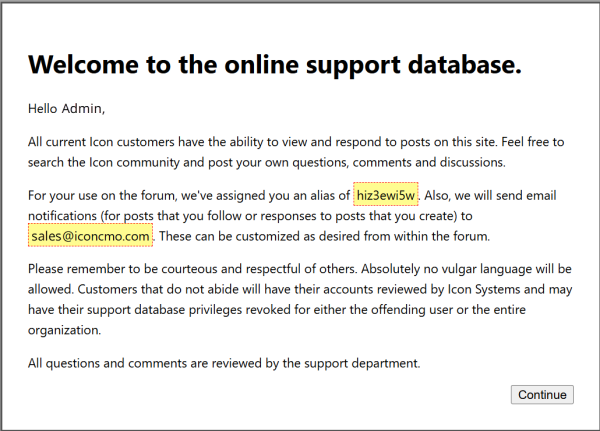
When you first access the support forum, you will be assigned an alias which you can change in the support forum screen once logged in. Your alias connects to your Icon Systems username only. You must click “continue” on the screen displayed in the image below to access the support forum:
4. YouTube channel
Our YouTube channel is full of webinar replays and video tutorials. Be sure to subscribe so you get notified of new videos! You can access our YouTube channel by going to
https://www.youtube.com/@IconSystemsInc92.
Or from any video posted inside of Icon Software.
5. This Blog is an excellent software resources
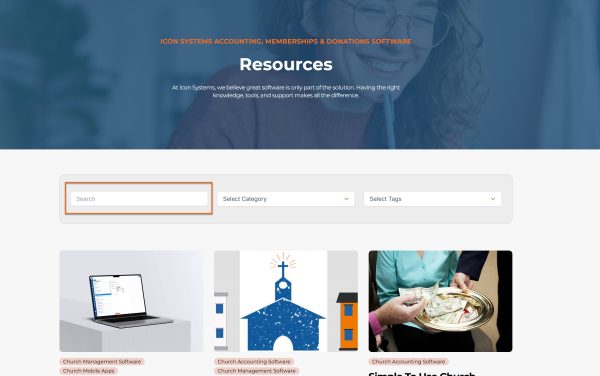
There is a lot of very useful information found right here in this blog! Fundraising tips, fund accounting information, security tips, how-tos within Icon Software, and more. Just use the search box on the right, and enter a few keywords to lead you to a related blog post.
6. Live Training Webinars
Icon Systems is committed to helping you utilize our system to its full potential. We periodically host webinars on different modules within the system. Even if you can’t attend live, go ahead and register anyway! You’ll receive an email with a link to the recording so you can watch the replay later.
These webinars are not just for beginners! Many seasoned users have attended and commented that they learned tips and tricks to improve their current processes that they might not have known otherwise.
To be notified of the upcoming webinars that we will be hosting, be sure to subscribe to our mailing list here:
7. Our software support team
Most importantly, you can always call our knowledgeable support team! There are no automated menus to reach us; therefore, saving you time, frustration, and money. Our support is 100% in-house, and not outsourced. We can be reached via phone call, email, or you can schedule a one-on-one webinar training session.
- Hours: 8:00 am – 5:00 pm CST M-Th & 8 am-4 pm F
- Email: support@iconsystemsinc.com
- Call: 218-236-1899