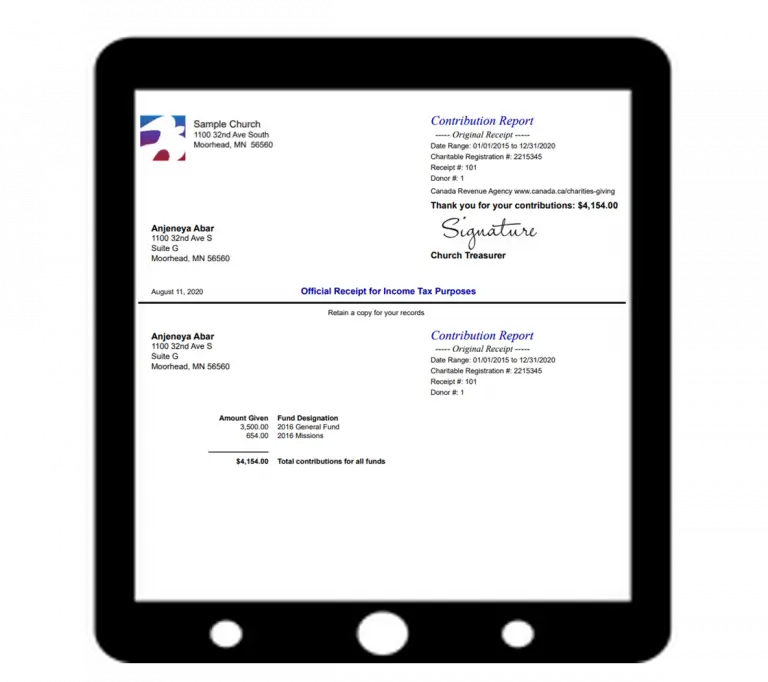
Churches can show their gratitude to donors when church staffers do all they can to help donors report their donations to the IRS as tax deductions. This is typically in the form of the donation statement or donor receipt.
A Donation Statement Must Have!
The best way a church can help in this process is to give end-of-year donation statements to their donors that include a declaration like the following:
“No goods or services were provided by the church in return
for the donation.”
Wording like this is essential for donors to report their donations, per the IRS.
(To learn what to do if donors do receive goods and services, or if donors make non-cash donations, see our free ebook – Recording and Increasing Church Donations.)
Including the Letter Steps
So how can IconCMO users include that important declaration for the IRS on donation statements? IconCMO makes it easy. Below are the steps to follow, along with some screenshots to follow the outlined steps.
1. Make sure you’re in the correct fiscal year for the statements (Organization > Preferences > Personal Preferences).
2. Go to Donations: Statements in the left side menu.
3. Go down through the various options to set up the format, fund type, funds, name range, date range, and so on.
4. Click ‘Lookup’ next to ‘Letter To Use’. This will bring up a new window.
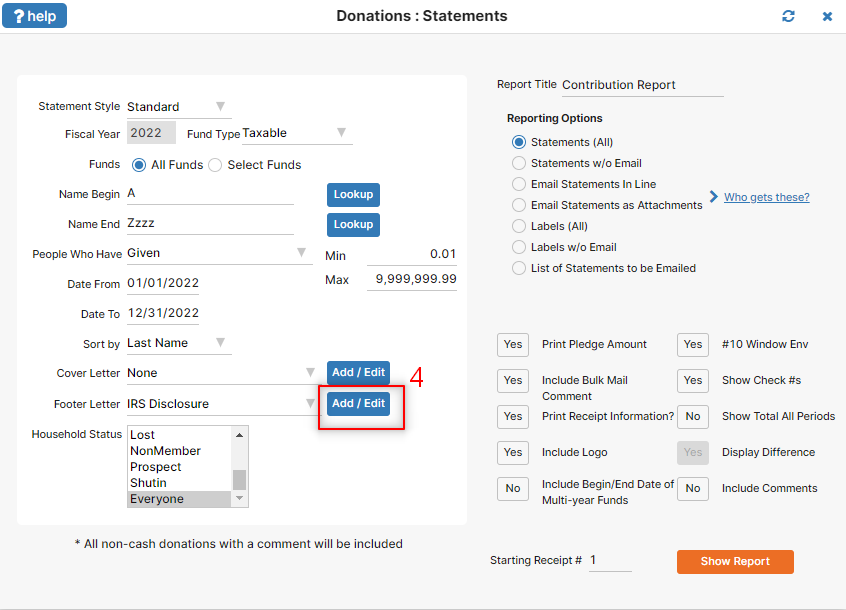
5. Then click the ‘Add New Letter’ button which clears the form for you to add in new letter.
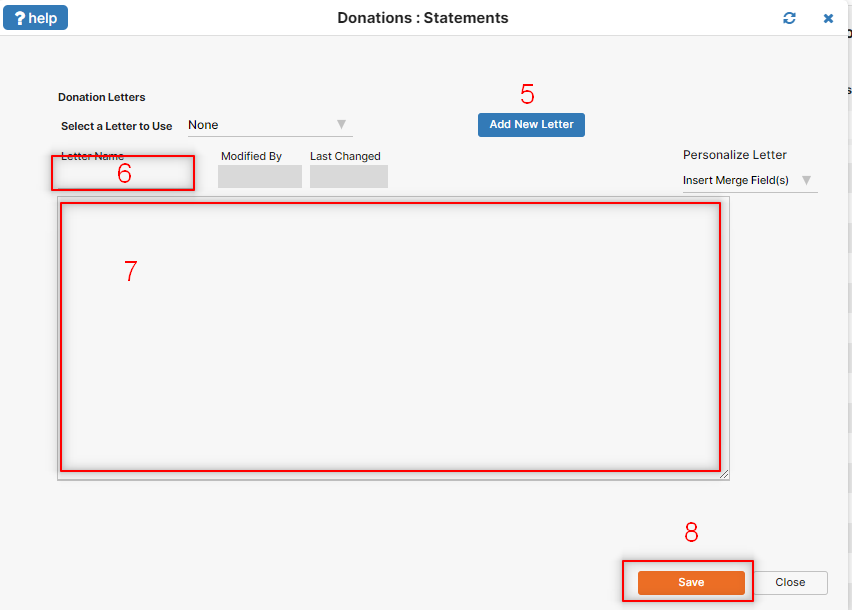
6. Under ‘Letter Name’ type the name of the letter you’re going to include (e.g. “IRS Note”).
7. Type the text of your letter in the big white box (e.g. “No goods or services…”).
8. Click ‘Save’.
Back on the statement screen you will choose the letter in the drop down list back in step 4.
The new letter name will show up next to ‘Letter To Use’ in your Donation Statements window; it will now be included at the bottom of each statement. For future statements, all you’ll have to do to include the letter is click that same ‘Lookup’ button and select the letter’s name from the ‘Current Letters’ drop down.
For more information about donation letters or any of the other functions in the window for donation statements, go to Donations: Statements and click on ‘?help!’ in the upper left. A support forum post will come up with more detailed information. Please keep these ‘?help!’ options in mind when you have questions about other windows in IconCMO.