I subscribe to a newsletter called Great Work Provocations. Every weekday morning, I get an email with a short yet inspirational, thought-provoking message. This morning’s email brought me this little gem:
Invite the skeptics in. They’re desperate to be proven wrong. But avoid the cynics. They’ve already made their minds up.
Reflecting on how I could apply this message to my work, I realized that I encounter this particular situation when talking to potential and existing customers about our software.
Skeptics
When a church evaluates church management software, typically at least one person in the church is skeptical of moving the church’s data to the cloud. And this isn’t necessarily a bad thing. When making a big decision such as this, it can be helpful to have someone who disagrees, or at least plays the part of devil’s advocate. If their objections can be rebutted, it reinforces the sense that the church is making a sound decision. On the other hand, if their doubts cannot be overcome, it can assist in identifying potential problems.
Cynics
I think the term “cynics” seems a bit harsh but I get the point; there are some people who say they will never use web-based church management software. We actually have a number of customers who are perfectly happy using Revelations, our desktop software. They have absolutely no plans to move to the cloud, and as we’ve said before, there is absolutely nothing wrong with that. If they are more comfortable using a Windows-based program, we won’t argue with them!
For those of you who are skeptical, yet open to the cloud
Here is an outline of the security precautions Icon Systems has implemented for its web-based church management software – IconCMO.
Encryption
Whenever you are working with IconCMO – from the point you log in to the time you exit – all information transferred from your computer to our servers is submitted via 256 bit SSL encryption. Icon Systems registers the certificates with GeoTrust for verification of a valid certificate with your browser. This means all information is sent from your computer to the servers over an encrypted connection.
Physical Server Security
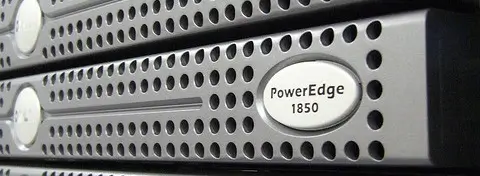
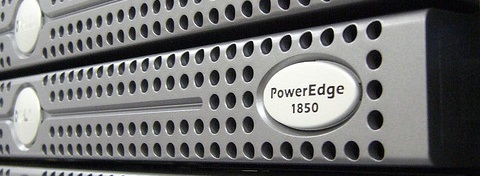
The servers are placed in locked cabinets in a key card accessed building designed to house servers.
Application Servers
This may seem strange, but customers do not have the ability to save information to the database. They must submit the data to the Application servers. The Application servers review the data to verify it is acceptable and execute the necessary save. Only the Application servers can write to the Database servers. The firewall for the Application servers only allows connections on ports 80 and 443. 80 is the HTTP non-secure web port and 443 is the HTTPS secure SSL web port.
Database Security
All Database Servers are placed on a local network. The database servers do not have a defined route back to the outside world. The only servers that can view the database servers are the application servers. The database servers limit the application servers as to which ports they are allowed to access. Icon Systems does not disclose this communication process between the servers or the ports it uses.
Employees
All Icon Systems employees are required to sign a document specifying they will not access any customer databases unless the customer approves of them opening the database. Information viewed during this process is not discussed, except when resolving customer issues.
Information Security
Icon Systems is in the church software business; company policy states no information provided to us by a customer will be shared with or sold to another company or agency unless required by law or court order.
Power
All servers are connected to a UPS device and the servers always use battery power. If the power goes out, the changeover is seamless so there is no temporary power flicker. The UPS devices are capable of running up to twelve hours by themselves. A diesel generator will start running within five minutes of the initial power outage and has enough fuel to keep all systems running for seven full days.
Site Catastrophe
Nightly backups are created and sent over an encrypted SSL connection to a second fully operational hosting facility located in a different part of the country. This second site is currently set as a Read-Only server, but could be changed quickly to a Read-Write system in the unlikely event that a catastrophe destroys the current hosting site.
Hopefully this list gives you confidence in our company and peace of mind about the welfare of your data. Yes, moving your church to an online management system can be scary, but if done correctly, it can open up a whole new realm of possibilities.