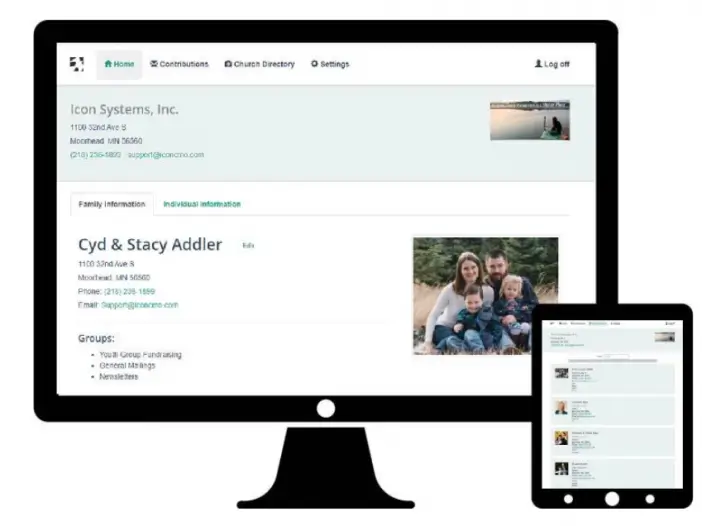
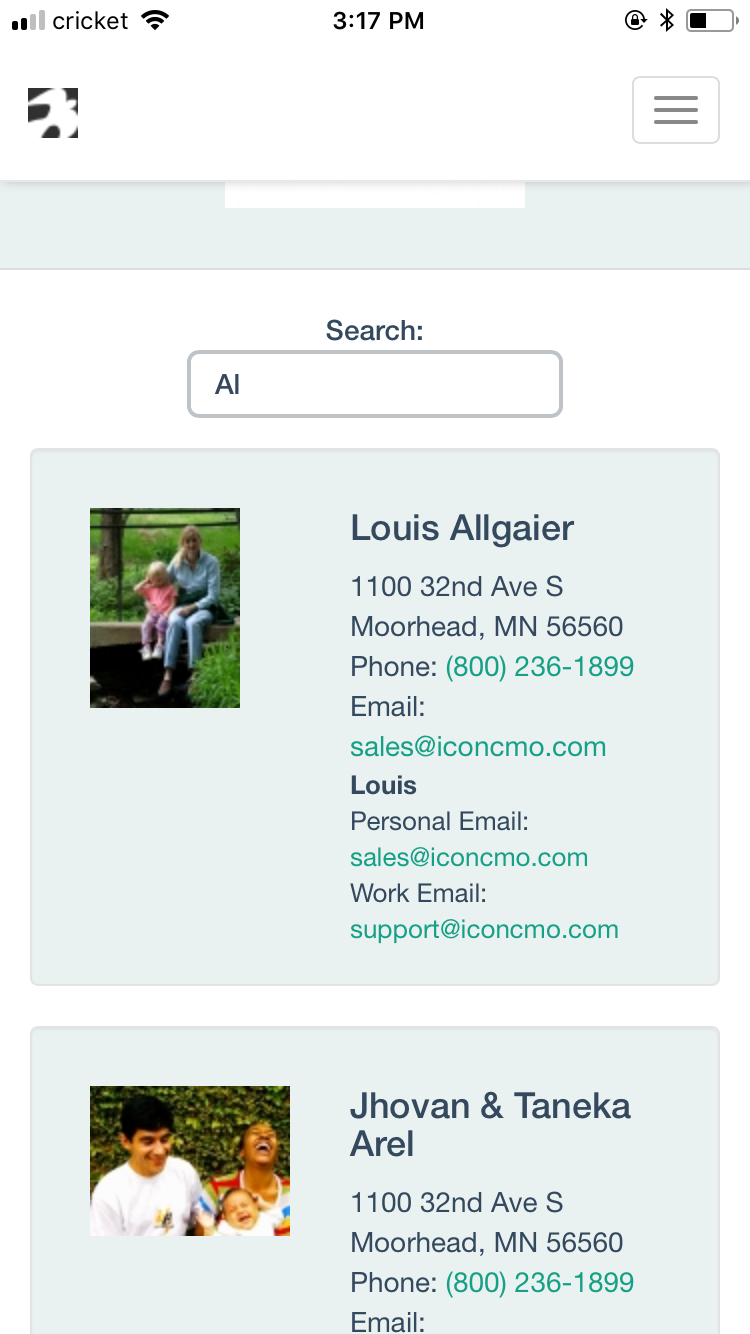
Our IconCMO church software mobile app, available for both Apple and Android devices, is designed to allow congregation members to log in to the database using their member portal login credentials. By using member login credentials, they’ll open IconCMO in a mobile interface, which allows them to view their donations as well as their personal and family information on file with the church. If given the correct access, they can even update their own individual or family information. Additionally, the mobile interface features a directory that is compatible with both iPhone and Android devices.
Go to your app store and type in IconCMO to find our free mobile app. (Note: Members can also log into the member portal anywhere online from the same IconCMO login page as the staff and admin users.)
Don’t have a member portal username and password?
Here’s how to get them.
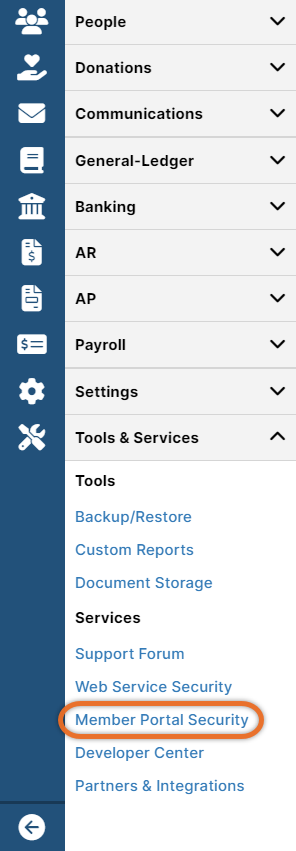
- In IconCMO, go to Tools & Services: Services: Member Portal Security.
- Use the search bar to search by name, email address, or any other criteria listed in the columns on the screen. (To get member portal login credentials, an email address is required, and individuals must be marked as head of household.)
- Then, click on the blue Access type to change it to Read-Write or Read Only.
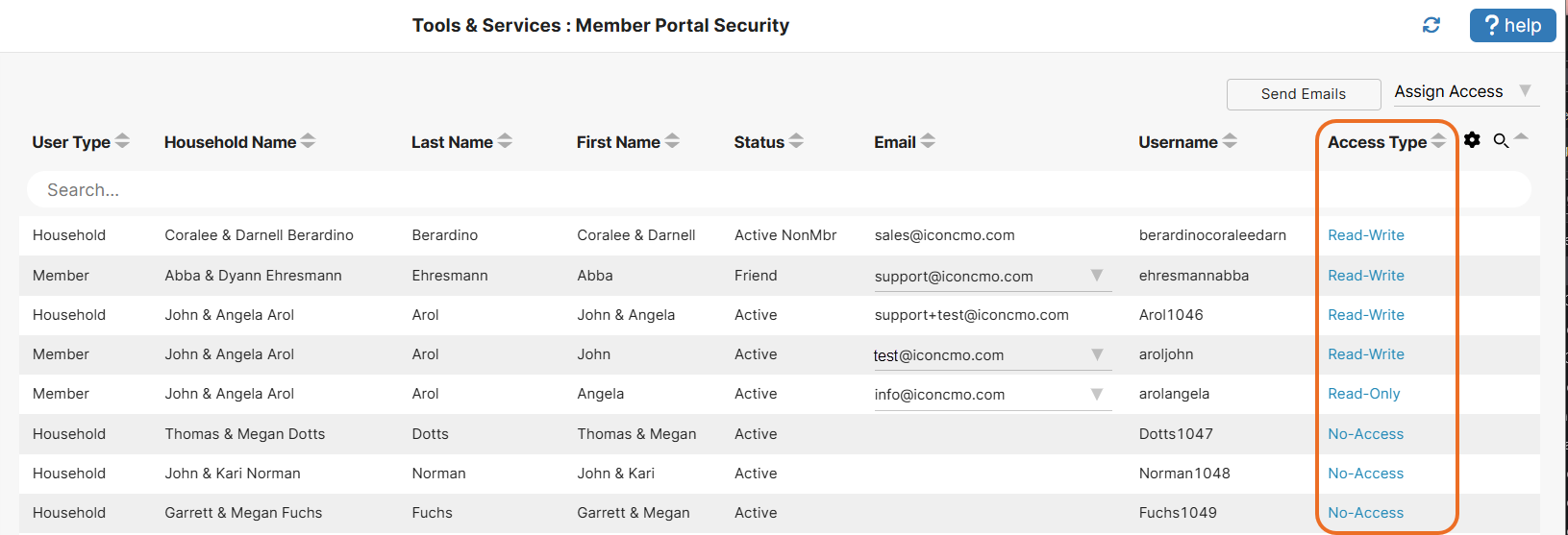
- Next, click Send Email.
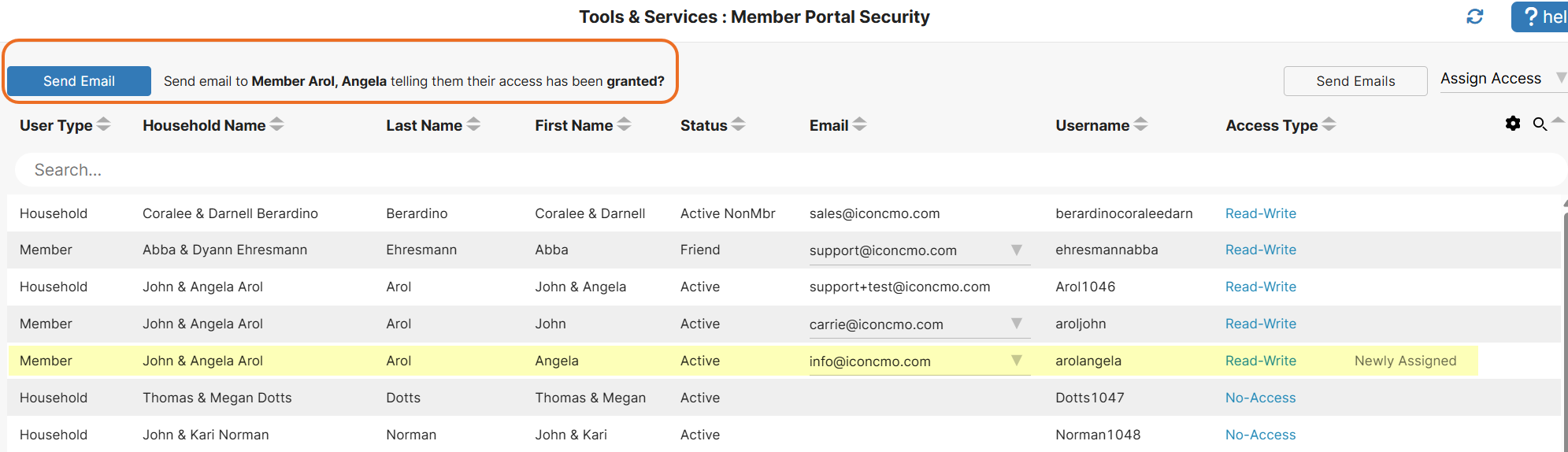
- Soon, the member will receive an email containing the church’s phone number, a username, and a link to set up their password.
- Once the password is set up, they can open up the mobile app on their phone and log in using these credentials.
By following these steps, you now have a mobile user interface to view (and possibly edit) your own information, as well as a searchable online directory, all within our church software mobile app.
Let us know what you think. At Icon Systems, we’re continually working to ensure you have the very best church management software to support your ministry.