The following is an example of how a PPP loan could be received and processed by a church using IconCMO’s full-fund accounting system.
Sample: PPP Loan for $100,000. For this client, all transactions will still come out of the main checking account using the General Fund and qualifying expenses will be reimbursed with the PPP checking account.
If your church is not required to open a new checking account to manage the PPP loan, skip creating a new checking account and deposit the money into your bank account.
Step 1: Set up new accounts
Go to General Ledger: GL: Chart of Accounts and click on “Add New Account”
- Checking
- Asset
- Bank
- Checking
- Not a sub-account
- PPP Checking
- Liabilities
- Liabilities
- Long Term Liabilities
- Notes Payable
- Not a sub-account
- PPP Loan Liab
- Revenue
- Revenue
- Miscellaneous Revenue
- Not a sub-account
- PPP Revenue
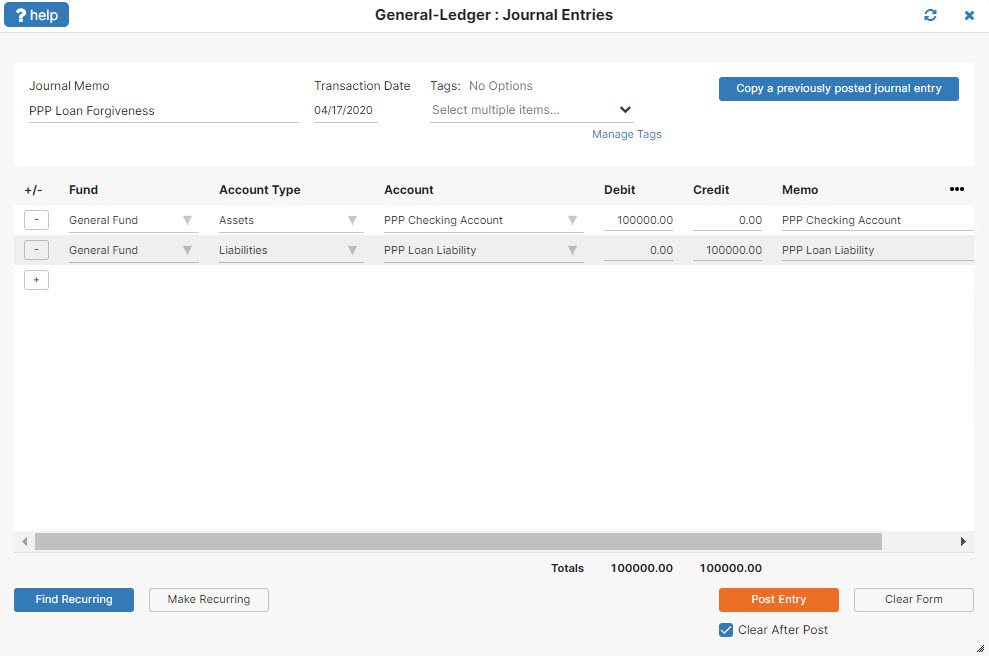
Step 2: Receive the money:
Debit PPP Checking for $100,000
Credit PPP Loan Liab for $100,000
Step 3: Paying bills
Transaction 1: Record payroll and eligible expenses as you normally would.
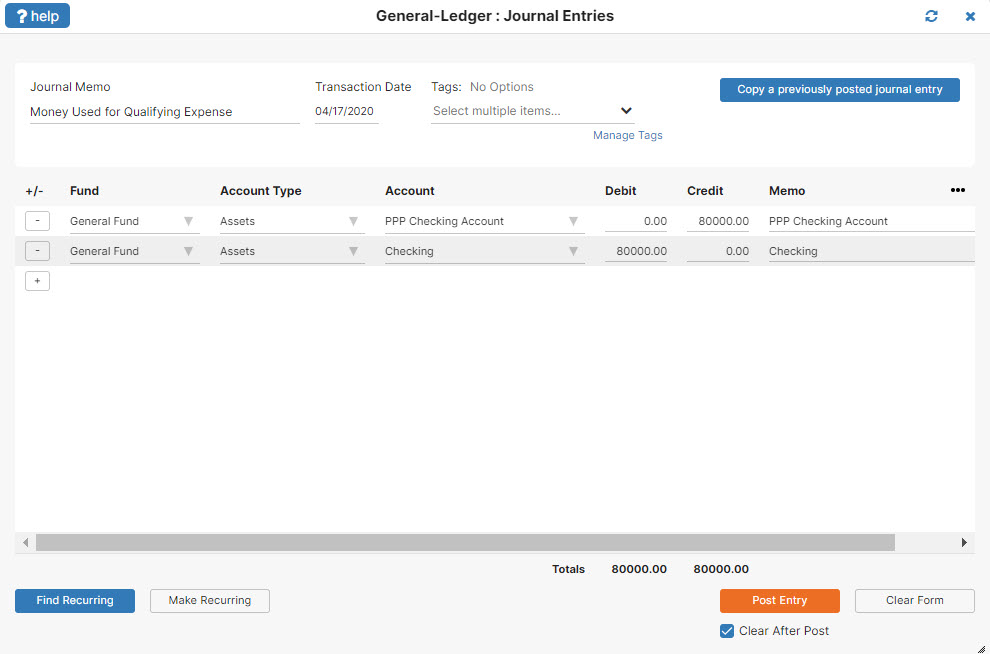
Transaction 2: If eligible transactions total $80,000, transfer cash from PPP Checking to the Main Checking.
Debit Main Checking for $80,000
Credit PPP Checking for $80,000
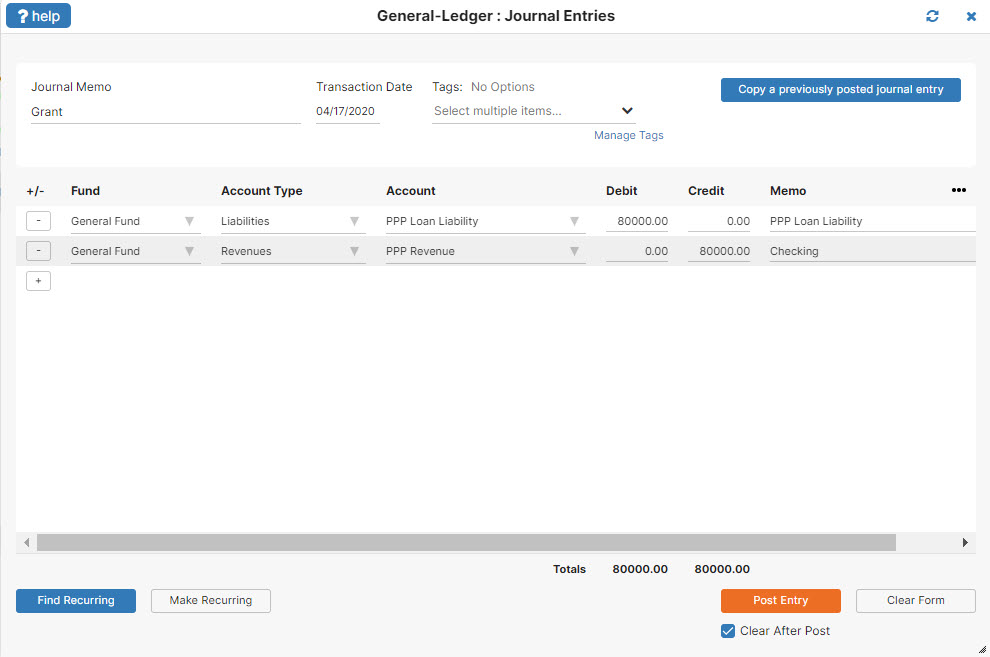
Step 4: Six-month loan review. $80,000 is turned into a grant. $20,000 stays as the loan.
Transaction 1: Recognize the $80K as revenue
Debit PPP Loan Liab for $80,000
Credit PPP Revenue for $80,000
Transaction 2: Pay the remaining loan balance back.
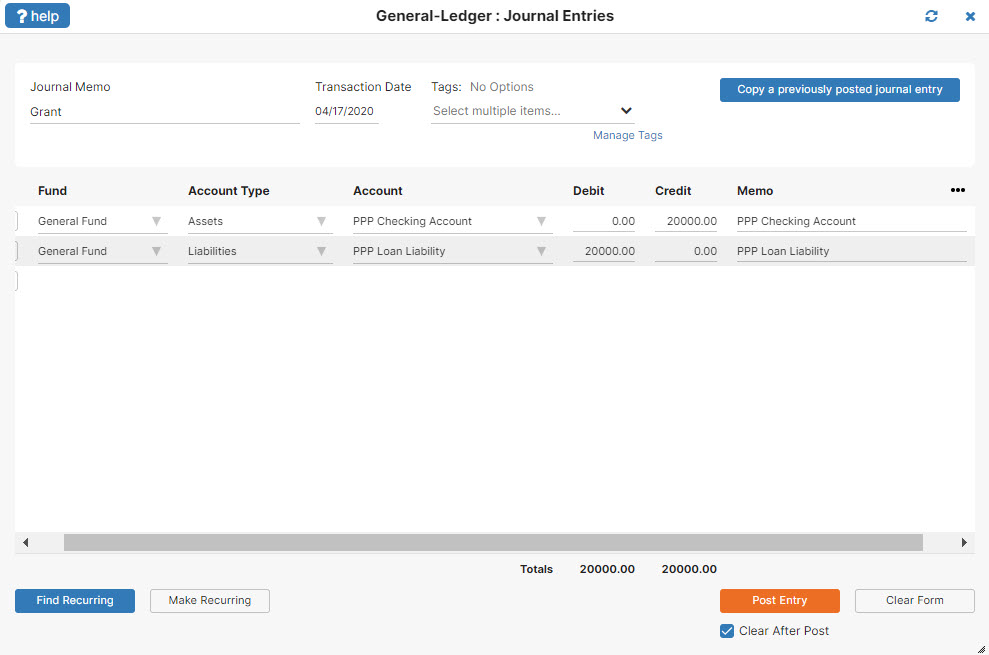
Debit PPP Loan Liab for $20,000
Credit PPP Checking for $20,000