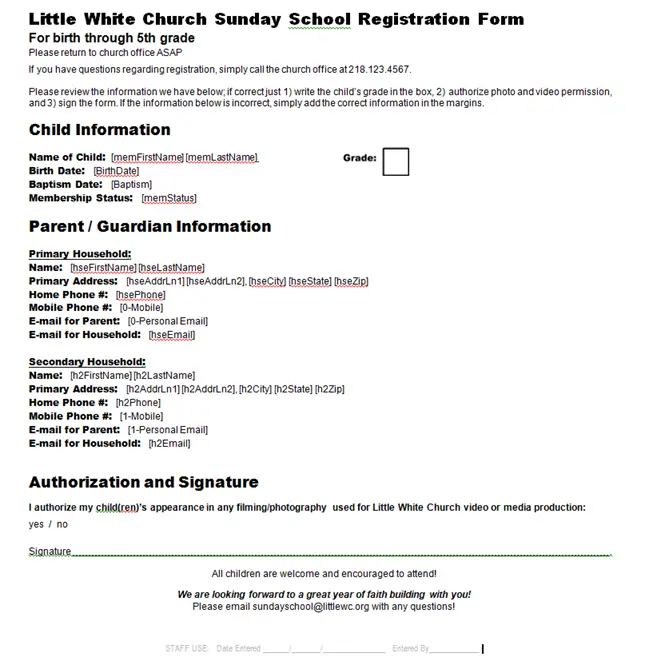
A new group list export has been released in response to customer requests for an output format that can be used in mail-merge fashion to produce a pre-filled Sunday School registration form for each child. This export includes information for secondary households. It also assumes that a member group exists for the Sunday School class. Output can be either to a spreadsheet or tab-delimited format. You will find this new export under PEOPLE : Groups. Then click the Go To Group Reports button and you should see this screen.
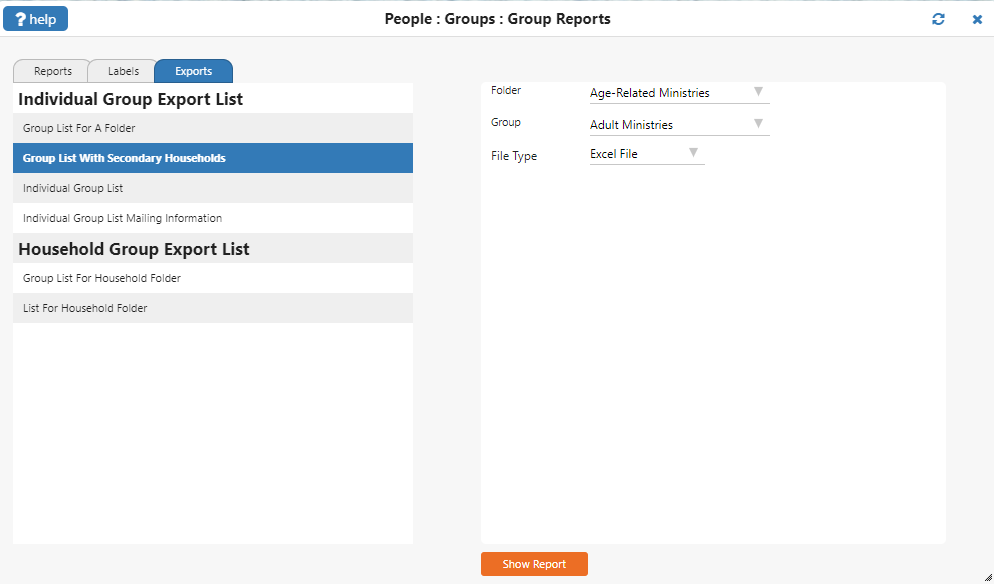
The field layout for this export is as follows:
The key for the exported fields is as follows:
GRAY: These fields are in reference to the category and group specified in the export setup parameters.
BROWN: These fields are in reference to a group member’s member record.
PINK: These fields reference the PRIMARY household information of the group member.
GREEN: These fields reference the SECONDARY household information of the group member.
PURPLE: These fields reference phone numbers and email addresses from the PRIMARY household’s “head of household” member record.
PEACH: These fields reference phone numbers and email addresses from the SECONDARY household’s “head of household” member record.
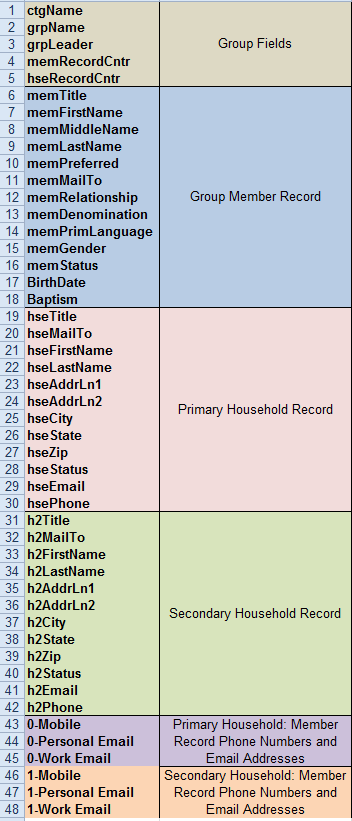
Once you have exported the desired data, you can use your favorite word processor to create a mail-merge document, formatted as a registration form, in order to present a pre-filled form to the child’s parents.
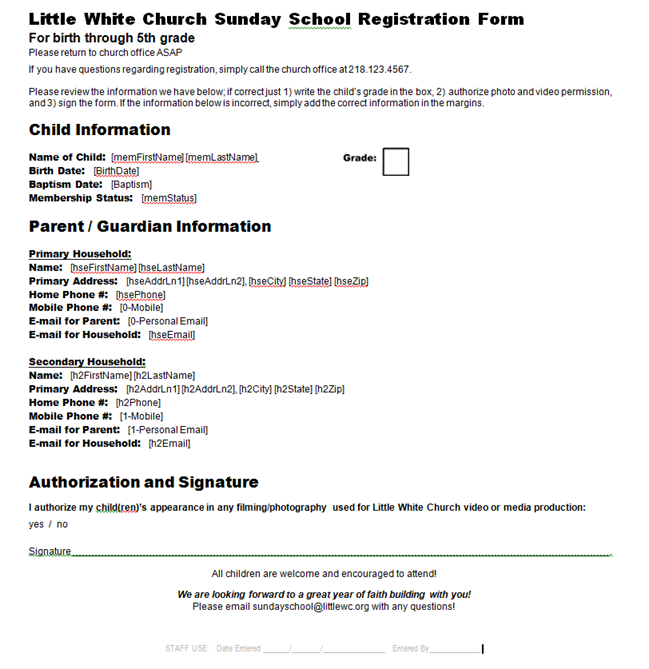
The parents can check the information on the form and verify that it is correct, or they can write in any changes to be made. This method can save a considerable amount of time, both for parents and data entry personnel.