
One of our customers recently contacted us with an interesting scenario. She needed to be able to identify youngsters in their church who would be 5 years old by 9/1/2014. She asked us how she could generate such a list in IconCMO. IconCMO has several birthday reports which can provide such information. We started by going to People : Members : Mem-Reports. In this particular instance, we used the “Birthday Name With Age” report. While all of the birthday reports allow you to set a date range, the question quickly becomes one of using the correct range for such a situation. There is also the prerequisite of having entered the birthday dates for all the children in the database. Additionally, the birthday reports allow you to ignore or not ignore the “year” portion of the date values you enter. For this type of reporting, we will need to set the “Ignore year in date ranges” value to “No.”
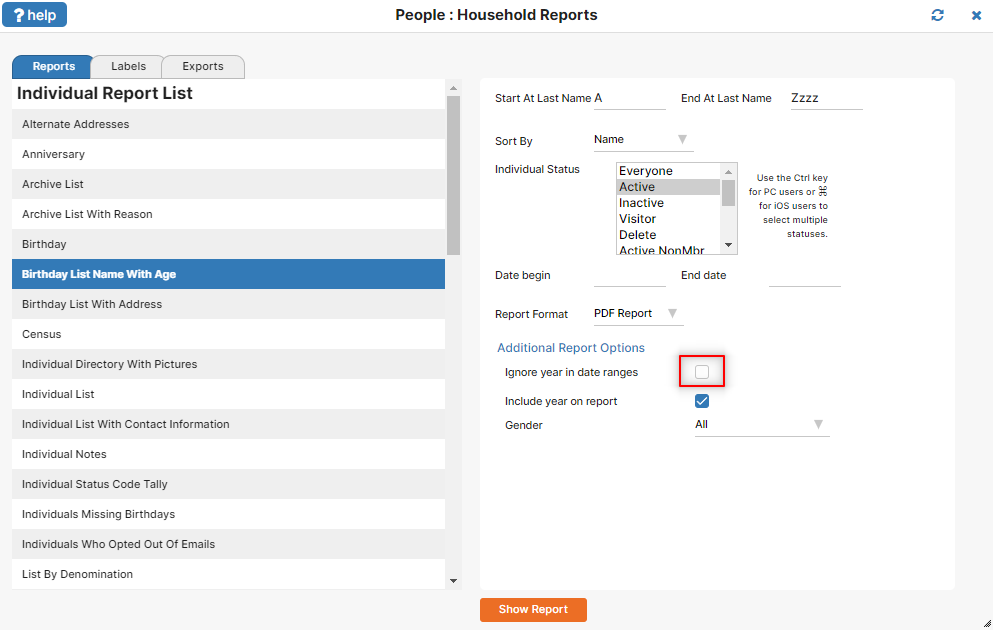
So what is the correct date range to use? If the child must have turned 5 by 9/1/2014, then the latest they could have been born and still meet this requirement is 9/1/2009. This becomes our “To” date. To calculate the “From” date, simply go back in time another year minus 1 day, so they will not have turned 6 by 9/1/2014. That makes 9/2/2008 our start date.
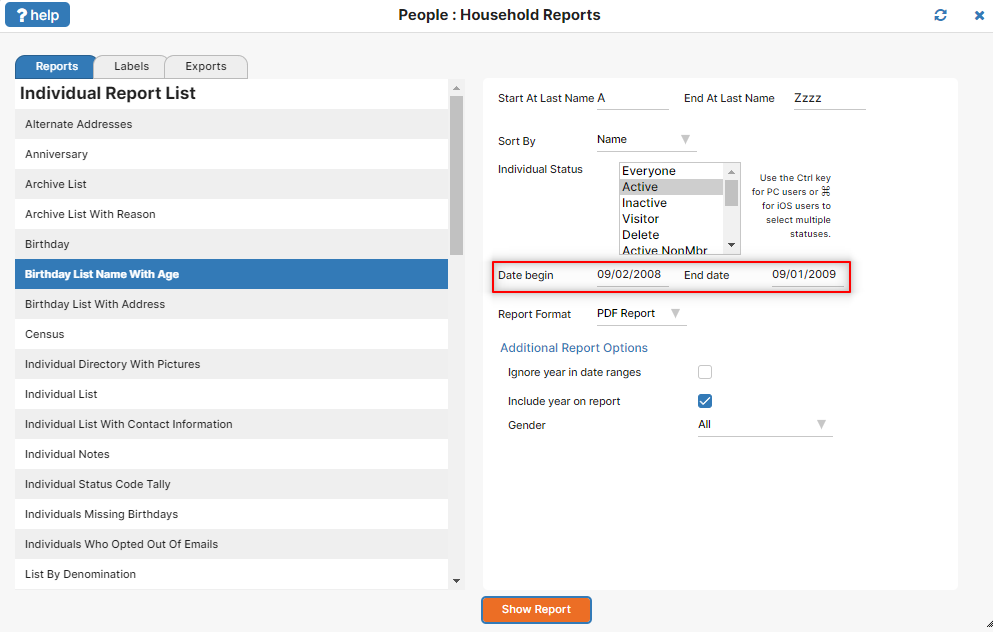
We can double-check our calculations, beginning with the “From” date. If a child is born on 9/2/2008, they will still be 5 years old as of 9/1/2014, even though that child will turn 6 the very next day, 9/2/2014. Checking the “To” date, a child born on 9/1/2009 will turn 5 right on the cutoff date of 9/1/2014.
If you run this report prior to 9/1/2014, it’s possible you may see some children in the report who are still 4 years old, but who will be 5 by the cutoff date of 9/1/2014.
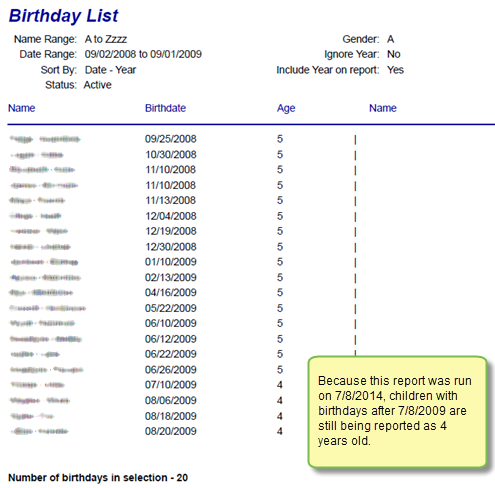
Easy, right? This type of report can be used to determine something such as how many children will be in a particular Sunday School class that begins in the fall. You can probably see how to adjust the date range to pull in a wider age group. For example, if you want a list that includes all children who will be either 4 or 5 years old by 9/1/2014, simply adjust the “To” date ahead another year, to 9/1/2010.
As you become skillful in using reports in IconCMO, you’ll find that a lot of versatility is available for extracting the information you need.